Set up your workspace
Show MillOS how your shop works: your products and prices, your rate card, your workbook template, a sample proposal, your shop rules. We set it up with you.
Hand MillOS a bid package and say “estimate this.” It comes back with the estimate, the workbook and the proposal. Your estimator checks it and hits send.
MillOS reads the whole bid package, measures the work on the drawings and prices it from your own rates. Then you sign off.
01What is MillOS?
Tell it what you need in plain English. It plans the job, measures, prices and checks its own work. When the drawings leave a real question, it asks you.
Every drawing, spec and addendum goes onto one map: which plans point to which elevations, details and spec sections. Ask it anything and it answers with the page it came from.
MillOS shows its work. Every run, count and area is marked right on the drawing, in a real takeoff tool. Check it, fix it, or measure it yourself.
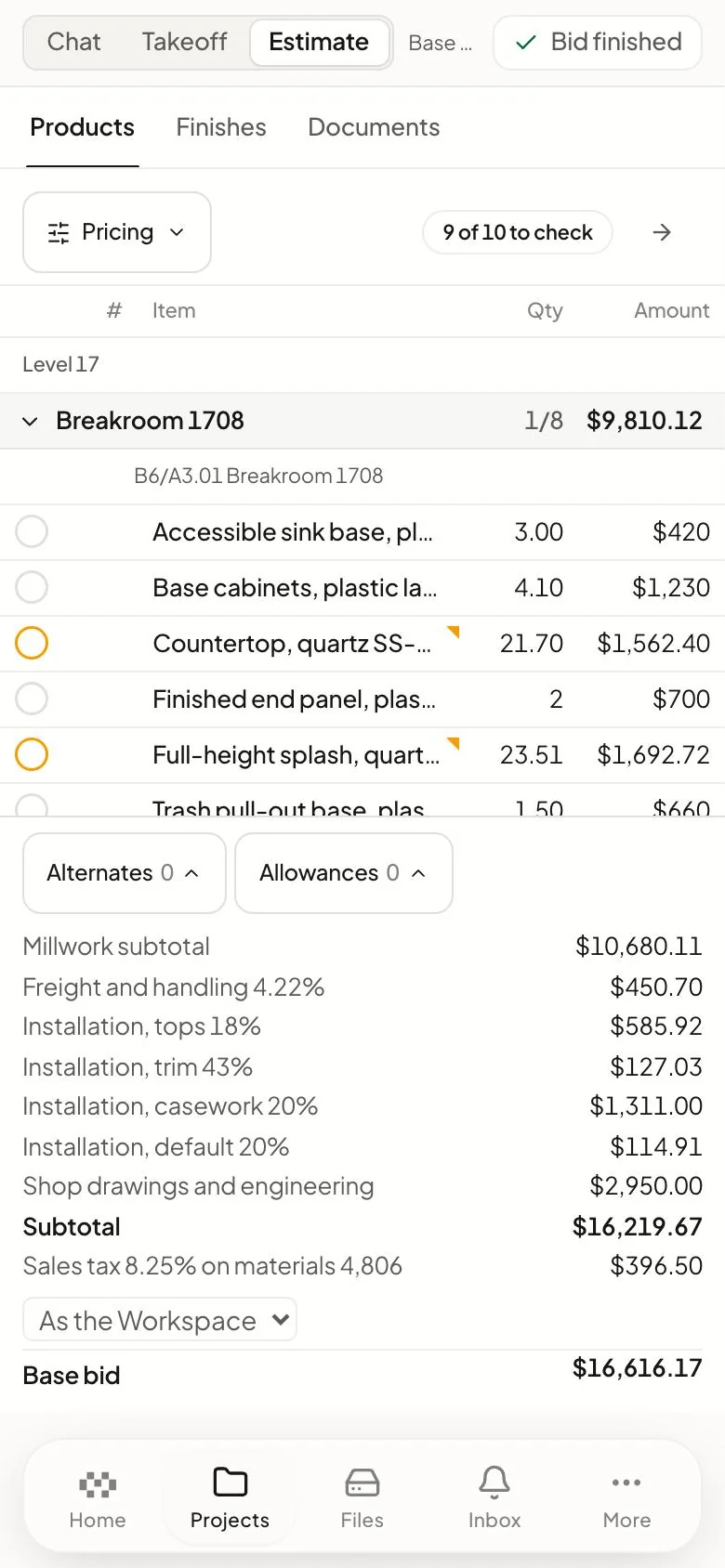
MillOS builds the workbook and writes the proposal in your format, on your letterhead. Open them, edit them, and mark which one you sent. No retyping.
MillOS doesn't guess. It prices from your Product Library, your rate card and your rules. If something isn't covered, it marks an allowance and leaves the call to you.
Drawings, specs, workbooks and proposals live in the project they belong to. MillOS works from the same files you do, so nobody asks which version is the latest.
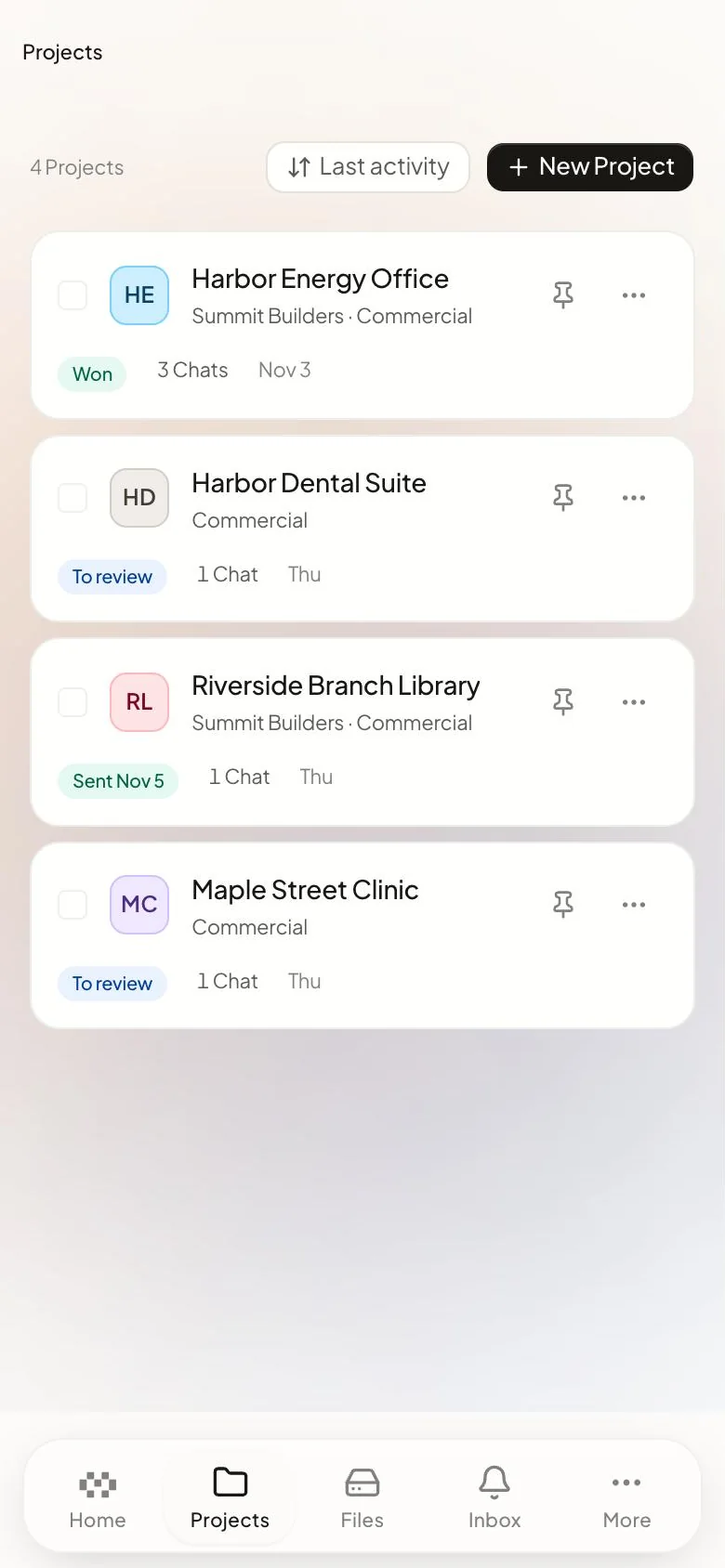
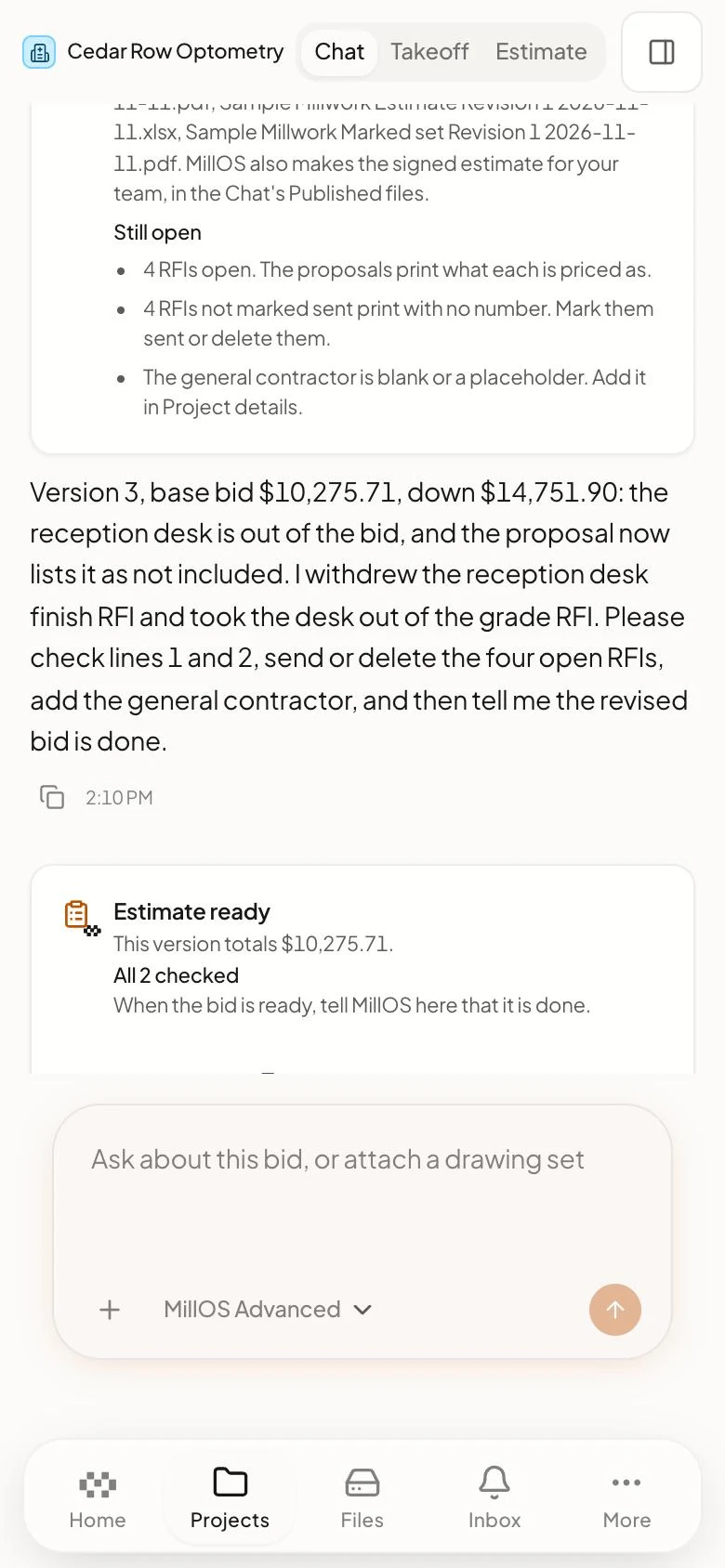
Check on a bid and answer its questions between meetings. Save the detailed review for your desk. It works in your phone's browser today. Apps are coming.
02How it works
Show MillOS how your shop works: your products and prices, your rate card, your workbook template, a sample proposal, your shop rules. We set it up with you.
Name the bid and drop in the drawings, specs and addenda, just the way the GC sent them. Then say what you need: “Estimate this.”
MillOS asks about anything the drawings leave open, like what's in your scope and whether you want a second check. Tap an answer or type your own.
Back comes a full, priced estimate. Open any line to see the mark on the sheet it came from. Approve it, change it, or tell MillOS what to fix.
Once you approve, MillOS builds the workbook and the proposal from the priced lines. Ask for as many revisions as you like. When it's right, you send it.
03What changes for you
Start a few bids, answer MillOS's questions, and give feedback when each estimate comes back. Travel, sit in meetings, go home. MillOS keeps working.
Bid more.Win more.Grow the shop.
The rest wait. Or you pass on them.
Start them all. MillOS works through them while you answer, review and decide.
Your timeMillOS
04Who it's for
If you bid from architectural drawings and want more out of the team you have, this is for you.
The pilot has limited spots. Every shop we bring on gets early access and a direct line to the team.
Commercial millwork is where MillOS started and where it works today. Price work from drawings and a spec book? Apply and we'll run one of your bids.
06Apply for the pilot
We're taking on a few pilot shops. Send us a bid you've already priced and see how close MillOS gets. It costs you nothing to try.
Questions first? Write to hello@millos.ai
Pricing
We don't think you should pay for a piece of code. You should pay for the value it creates. If MillOS helps you bid more and win more, we do well too.
Absolutely no per-seat pricing. Add every estimator, project manager and owner.
01What you pay for
Everyone in your shop draws from the same monthly usage.
The place to start.
More monthly usage, for a shop that keeps MillOS busy.
The most monthly usage of our standard plans, for the busiest shops.
Custom monthly usage, onboarding and terms for large shops and shops in more than one location.
Every plan includes the whole free workspace. Pilot shops get set up with our team.
Get pricing02Do the math
Slide these to match your shop. It's simple math on your own numbers.
We assume MillOS costs about $80 per estimate. That moves a lot with the size of the job, so treat it as a ballpark. One hour of review fits a simple bid. Big packages take longer.
What your shop gets back
$22,350
saved every month, after what you pay for MillOS. That is 450 estimator hours back.
9.3xback on what you spend with MillOS, on these numbers
28extra bids a month at today's pace, from the hours you get back
1 hourof your estimator's time on each bid with MillOS, against 16 hours by hand
A bid by hand is your hours times your hourly cost. With MillOS it is about $80 plus your estimator's review time. Your savings are the difference, times the bids you send. Extra bids are your hours back divided by your hours on one bid today. The return is your savings divided by what you spend with MillOS, shown once it reaches 1x. Your pilot bid shows you your real numbers.
03Pricing questions
No. There are no seats. Everyone in your shop uses the full workspace, free. You pay for the AI work MillOS does.
The work MillOS does when you ask it to: reading the drawings for a bid, measuring, pricing, answering you and making revisions. Measuring by hand in Takeoff Studio, editing a workbook and storing files don't count toward it.
Move up a plan or buy extra usage, any time. Extra usage needs no plan, never expires and is used once your plan's monthly usage is gone. Or wait for your monthly reset. Meanwhile every free tool keeps working.
Yes. We run one of your past bids with you first, at no cost. You see the result on your own job before you decide anything.
About MillOS
01Where MillOS comes from
We're not new to this industry. MillOS comes out of Volume Millwork, a commercial millwork shop in Houston, Texas.
One thing has slowed us down more than anything else: estimating. The invitations kept coming, and there were never enough estimator hours to price them all. So we passed on work we could have won.
We fixed it for ourselves first. Our estimators and our own AI team built the tool we needed and ran it on real bids. Then we saw it could do the same for other shops, so we opened it up.
“We built this in house. We like it, people started to use it, and we'd like you to try it too.”Omar AbuhamraCEO and co-founder of MillOS, and CEO of Volume Millwork

02The founders
Or just say hello: hello@millos.ai · MillOS, Inc., Houston, Texas
A workspace where AI does the estimating and your estimator stays in charge. Upload the bid package and say “estimate this.” MillOS reads it, measures the work on the drawings and prices it from your rates. You check the estimate, workbook and proposal, then send.
Commercial millwork and casework shops that price work from drawings and a spec book. That's where MillOS started and where it works today.
Another trade? Tell us yours on the home page, and we'll reach out when we're ready for it.
No. Your estimator runs it, checks it and decides what goes out. MillOS does the reading, counting and typing.
It can't approve a line or send a bid. Only a person can, and we built it that way on purpose.
Takeoff software gives you the tools. MillOS uses them for you: it reads the whole package, measures on the drawings, prices from your library and drafts the workbook and proposal.
Every quantity is marked on the sheet it came from, so you can check it.
The fair test is your own bid. Send us a job you already priced and compare.
It won't be perfect on every line. That's why your estimator approves each one.
Line by line. Open any line to see its mark on the sheet, or the assumption it rests on. Approve it, change the quantity or rate, or tell MillOS what to fix.
A quantity you type in stays. A later run never overwrites it.
If the question blocks the work, MillOS stops and asks you. If not, it keeps going on its best reading, writes down what it assumed and drafts an RFI, marked on the sheet, for you to send.
Upload them with the set and MillOS reads them together. When an addendum replaces a sheet, the new sheet wins.
If one lands after the estimate is done, add it to the project. MillOS re-measures only what changed and gives you a new version.
From your Product Library, your rate card and your pricing rules. MillOS never changes a rate you set.
If your library doesn't cover something, it marks that price as an allowance and shows its source, or leaves it unpriced if your rules say so.
The PDF bid set, the way the GC sent it: drawings, specs and addenda. Scanned sheets can work, but plan on checking them more closely.
Back comes a priced estimate, the workbook, the proposal, marked-up drawings, and draft RFIs, exclusions and clarifications.
Many bids we’ve run took under an hour. Larger or more complex bid packages can take longer.
It runs in the cloud, so close the laptop. MillOS tells you when it needs you.
Yes. Upload your workbook template and a sample proposal once. MillOS fills in your workbook and writes proposals in your sample's order and wording, on your letterhead.
Edit both right inside MillOS, or download them any time.
Markup, takeoff and the workbook are built into MillOS, so you don't need other tools to price a bid. When you want a file elsewhere, the workbook downloads as a standard Excel file, and the marked-up drawings open in Bluebeam or any PDF viewer.
It doesn't read Bluebeam markups, export to CAD or CNC, or sync with QuickBooks or your ERP yet.
Yes. When you correct it, it can save the lesson as a written rule for your shop, like how you group lines or work you never bid. Every future bid follows it.
It doesn't carry prices from one bid to the next.
Nothing to install. MillOS runs in your browser.
On your phone's browser you can follow a bid, answer its questions and open files. Measuring and the full review work best at your desk. Phone apps are coming.
Yes. Invite everyone: there are no seats to buy, and two estimators can work the same bid.
Start as many bids as you like. MillOS works on a couple at a time for your shop, and the rest start on their own.
Your team, and MillOS staff only when you ask for help or to fix a problem affecting your shop. No other shop can see them.
Your drawings, prices and library are never used to train AI models, by us or our AI providers.
Your files and database are stored in the United States, and every connection to MillOS uses HTTPS.
Each shop's work is kept apart. MillOS checks every signed-in request against your shop's member list, and the database enforces the same separation on every table that holds your work.
SOC 2 is on our roadmap. We don't have a report yet, so for a security review, write to security@millos.ai.
Yes. Your shop owns its files and estimates. Download any file, the workbook as Excel and your library as Excel or CSV.
Delete a file, a project or your whole workspace. Deleted items can be restored for 30 days, then they're gone for good.
The workspace is free for your whole team, with no per-seat pricing. You pay for MillOS's AI on a monthly plan: Pro, Max, Ultra or Enterprise. Each plan includes monthly usage your whole shop shares. Your pilot bid costs nothing. See how pricing works
The work MillOS does when you ask it to: reading a bid, measuring, pricing, answering you and making revisions.
Uploading files, measuring by hand in Takeoff Studio, editing workbooks and storing files don't count toward it.
Move up a plan or buy extra usage, any time. Extra usage needs no plan, never expires and is used once your plan's monthly usage is gone. Or wait for your monthly reset.
A bid that's already running still finishes, and every free tool keeps working for the whole team.
Not much, and you don't do it alone. We set up every pilot shop with you: your price list, rate card, workbook template, sample proposal and shop rules.
Most of it is handing us what you already have. A starter library covers day one.
Apply for the pilot, and we set up a call. If it's a fit, we send your invite and set up your shop.
Yes. We run one of your past bids with you, at no cost, so your own estimate is the answer key.